Credit Card : Wallet & NFC
Galaxy studio appsFinance
4.6493.00 Reviews
- Version
- 3.0.5
- Installs
- 5.00M
- Age Rating
- Everyone
Screenshots
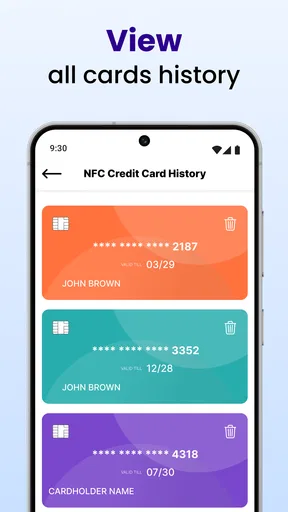
Our Review of Credit Card : Wallet & NFC
 Analysis by Appyee
For a first-time user, Credit Card: Wallet & NFC is easiest to understand as a card-focused finance app rather than a replacement for every tool you use to manage money. Its central appeal is keeping card-related tasks close at hand: the store summary points to a mobile wallet, an NFC scanner and a credit or debit card BIN validator. I’d approach it with those practical jobs in mind, rather than expecting a full banking service.
What to expect from a card-focused finance app
Published by Galaxy studio apps, this free finance app is rated for Everyone and has a 4.7 average from around 53,000 ratings, with over 5 million installs. It includes optional in-app purchases, so I’d check the purchase details before paying for anything; the basic download is free. Its current version is 3.0.1, and it runs on Android 7.0 or later.
The useful distinction is between keeping card information organized and making a payment. An NFC scanner can help identify or interact with compatible NFC technology, but that alone does not mean the app can replace your bank’s approved contactless payment setup. Before relying on it at a checkout, check what your phone, payment provider and the app actually support. I wouldn’t leave home expecting every card to become tap-to-pay simply because NFC appears in the app’s description.
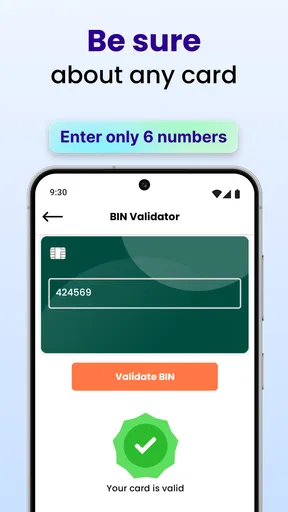
The same caution applies to a BIN validator. A card’s BIN is part of its identifying number, and validation can be useful when checking card details or understanding what a number indicates. It is not the same as authorizing a transaction, proving that a card is active, or confirming that funds are available. Keeping that distinction clear makes the app’s purpose easier to judge and helps avoid treating a quick check as a banking decision.
Getting Started with Ease
Setting up Credit Card: Wallet & NFC is a breeze. Once you download it from the app store, the initial setup process is straightforward. The app guides you through adding your credit and debit cards with a few taps. Just scan your card using your phone’s camera, and voilà, you're ready to roll.
For a calmer first session, I’d start with one card rather than trying to gather everything at once. Check the details the scan captures against the physical card before saving or using them. If you prefer not to scan, look for a manual-entry route in the app and decide which fields you are comfortable adding. A camera scan saves typing, but it does not remove the need to review the result carefully.
It’s also sensible to think through what belongs on your phone before adding sensitive information. Use the app for the particular card task you came to do, and avoid treating a digital record as a reason to discard the original card or forget your bank’s own security guidance. For everyday purchases, I would keep a physical payment option available until I had personally confirmed that the digital workflow works with my device and the places where I shop.
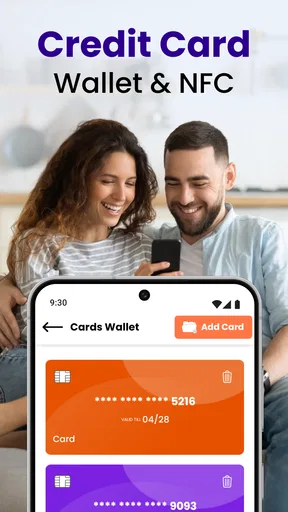
One thing I find super cool is the app's ability to store not just credit cards, but also loyalty cards, gift cards, and even boarding passes. It’s like having a digital assistant that keeps all your important cards organized in one spot.
Make the first useful check deliberate
A good first success does not have to be a payment. If you have a card number you are allowed to check, try the BIN-validation task and treat the result as a reference point, not a promise that the card will work. That is a lower-stakes way to understand the app’s card tools before you depend on them in a queue or while travelling. Never test with someone else’s card details without permission.
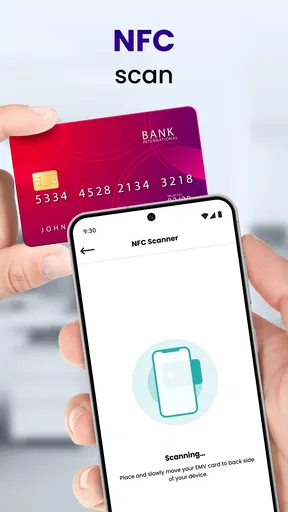
For an NFC check, begin with a card or tag you own and follow the app’s on-screen instructions. Keep the phone close to the item, then move it slowly if nothing happens; NFC detection can depend on where the phone’s reader is located. A failed read does not automatically mean the card is invalid. The card may not use NFC in a way the app can read, or the phone’s reader may not be positioned over it.
Seamless NFC Payments
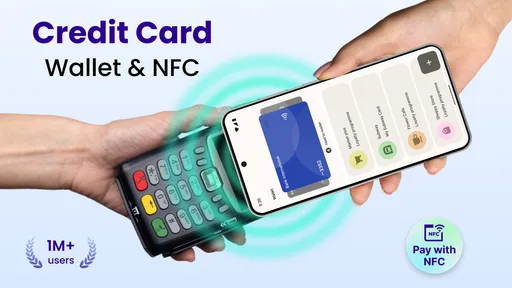
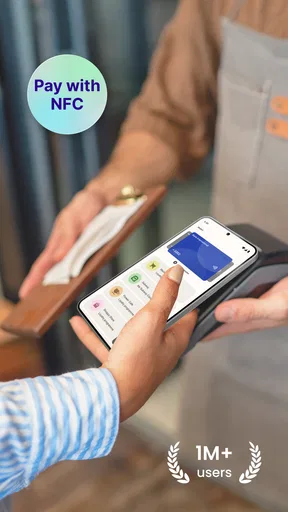
Here's where the magic really happens. The NFC (Near Field Communication) feature is a lifesaver. With a simple tap, you can make payments without ever pulling out a physical card. It’s as if your phone turns into a magical payment wand. I’ve used it at grocery stores, coffee shops, and even vending machines. The convenience is unmatched, especially when you're in a rush.
I appreciate that the app ensures secure transactions. It uses advanced encryption to protect your data, so you can tap and pay without worrying about security breaches. Plus, it supports both Android and iOS, making it versatile for any smartphone user.
Where the wallet idea helps—and where it doesn’t
The most believable everyday benefit is reducing the small delays caused by searching for a card or loyalty pass. For example, before heading to a shop, I’d open the app and locate the relevant card while waiting in line, rather than trying to sort through a physical wallet at the counter. That works best when the app’s saved information is easy for me to recognize and when I still have a backup method ready.
For actual contactless payment, I would compare this app with the payment wallet already supported by my phone or bank. Those established options are usually the first place to look when the goal is tapping to pay, because payment compatibility depends on more than an NFC reader. This app is more interesting if you specifically want its card-oriented tools, such as scanning or BIN checking; it is a weaker fit if you only want the simplest route to pay for groceries.
There is a trade-off in putting more card information in one place. It can make access more convenient, but it also makes sensible device security and careful handling more important. I would use a screen lock, avoid entering details in public where they can be seen, and remove information I no longer need. Convenience is useful only if the way you store and access the information feels appropriate to you.
Organize Your Finances
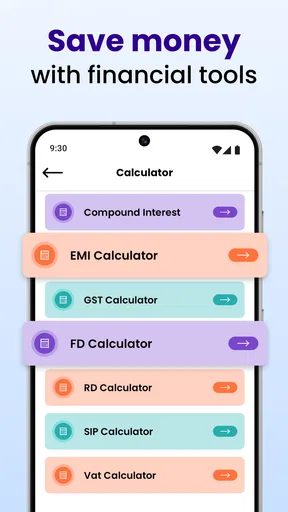
Beyond just storing cards, Credit Card: Wallet & NFC helps manage your finances efficiently. It provides a detailed overview of your spending habits. I love the analytics feature that breaks down your expenses by category. It’s eye-opening to see where all my money is going and helps in budgeting better.
The app also sends timely notifications for due payments, ensuring you never miss a bill. This reminder feature has saved me from late fees more than once. It's like having a personal finance manager in your pocket.
Keep expectations realistic around tracking
Even when an app offers spending views and reminders, I would not make it my only source of truth for balances or due dates. Compare anything important with the account information from your card issuer, especially before paying a bill. A reminder is helpful as a prompt to check, not a guarantee that a payment has been made or that a statement figure is current.
A practical routine is to use the app for a quick overview, then confirm the amount and deadline in the issuer’s own service before acting. That extra check matters if you carry multiple cards or have a payment due soon. If you are looking for automatic bank-account syncing, detailed debt planning, or investment advice, a dedicated budgeting or banking app may suit you better than a card wallet.
Customization and User Experience
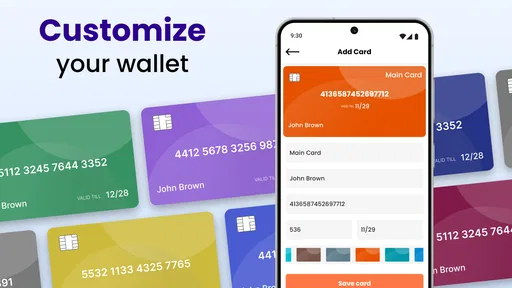
One of my favorite aspects is the level of customization available. You can choose themes and layouts to suit your style. The user interface is intuitive and user-friendly, making navigation a walk in the park. Even if you’re not tech-savvy, you’ll find it easy to use.
Moreover, the app supports multiple languages, which is a big plus if English isn’t your first language. The developers have clearly put a lot of thought into making the app accessible to a wide audience.
Who is likely to find it useful?
I’d recommend trying it if you regularly handle several cards and want a place to check card-related information without reaching for each physical card. It may also suit someone who wants to explore NFC scanning or validate a BIN for a legitimate, specific reason. The strongest use case is focused: make card details easier to manage, then verify important financial decisions with the relevant issuer.
I’d skip it if you mainly need a guaranteed contactless payment method, a complete bank account manager, or a tool that makes financial decisions for you. It is also not a good reason to store sensitive details you do not need on your phone. If your current bank app or phone wallet already handles your everyday payment routine cleanly, adding another app may create more places to check rather than saving time.
Why You Should Try It
If you’re like me and love the idea of decluttering your wallet, Credit Card: Wallet & NFC is a must-try. From the convenience of NFC payments to the robust financial management tools, it offers a comprehensive package that caters to modern-day needs.
Overall, it’s an app that combines functionality with simplicity, making it a worthwhile addition to your smartphone arsenal. Give it a go, and you might just wonder how you ever lived without it!
My advice is to begin with one low-risk task, such as checking a card you own, and see whether the result is clear and useful before adding more information. Keep a physical card and your issuer’s official app available for payments and account decisions. With that measured approach, this finance app can be a handy companion for card organization and checks; without it, the wallet and payment claims may set expectations higher than the practical fit.
Verdict
Strengths of Credit Card : Wallet & NFC
- Easy-to-use interface for quick navigation.
- Seamless integration with major banks.
- Customizable notifications for transactions.
- Supports multiple currencies seamlessly.
- Fast and secure NFC payment feature.
Limitations of Credit Card : Wallet & NFC
- Limited support for smaller banks.
- Occasional lag in transaction updates.
- Requires constant internet connection.
- Some features locked behind a paywall.
- High battery usage with heavy NFC use.
Other Releases by Galaxy studio apps
View All
GPS Photo: With Location & Map
Travel & Local4.2

ArtFonts: Stylish Text
Personalization4.6

Word Office: Docs Reader
Productivity4.8

Wedding Invitation Card Maker
Events4.4
Similar Picks in This Category
View All
Google Wallet
Google LLC4.3

Airtel: Recharge, Bank & Loans
Airtel4.0

PayPal - Pay, Send, Save
PayPal Mobile4.2

DANA Indonesia Digital Wallet
PT Espay Debit Indonesia Koe4.5

Binance: Buy Bitcoin & Crypto
Binance Inc.4.8

Cash App
Block, Inc.4.7
Frequently Asked Questions
What features does the Credit Card: Wallet & NFC app offer?
The app provides a secure digital wallet for storing multiple credit and debit cards. It supports NFC payments for contactless transactions, allowing you to pay quickly at compatible terminals. Additionally, it offers expense tracking, transaction history, and budget management tools to help users manage their finances effectively.
How secure is the Credit Card: Wallet & NFC app?
The app employs advanced encryption and security protocols to protect your financial data. It requires biometric authentication, such as fingerprint or facial recognition, for accessing sensitive information. Regular updates ensure that the app remains secure against potential threats, and users can remotely lock the app if their device is lost or stolen.
Is the Credit Card: Wallet & NFC app compatible with all devices?
The app is compatible with most Android and iOS devices that support NFC technology. Users need to ensure their device is running on a recent operating system version to access all features. Detailed compatibility information is available on the app's download page, and users can check their device settings for NFC support.
Are there any fees associated with using the Credit Card: Wallet & NFC app?
The app is free to download and use for basic features like storing cards and making NFC payments. However, there may be premium features or subscription plans for advanced expense tracking and financial analytics. Users should review the in-app purchase options to understand any potential costs before subscribing.
How can I troubleshoot common issues with the Credit Card: Wallet & NFC app?
For connectivity issues, ensure NFC is enabled on your device and that it is compatible with the payment terminal. If the app crashes or behaves unexpectedly, try restarting your device or reinstalling the app. The app's support section offers detailed troubleshooting guides, and users can contact customer support for further assistance.
